Device schedule setting
IDEERFIT offers two ways to create a new medication schedule:
- Quick Access

- Traditional Method
Press the Menu button to enter the Settings page. Select “Schedule” then use the up / down (orleft / right) arrows to choose the tray you want to set.Once selected, press the ‘ok” button to confirm.
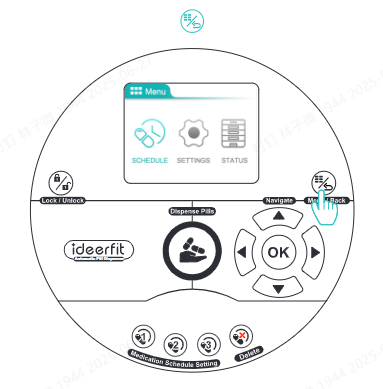

Note:The IDEERFIT device itselfonly supports a daily medication schedule.If you need a more personalized schedule (such as specific days of the week,intervals,start and end dates,etc.),please use the app to set it up.Once the time is set,the corresponding tray will begin dispensing on schedule from that day onward.If the set dispensing time has already passed for the current day.IDEERFIT will start the schedule from the next day and remind you to take your medication.